



3.4
Free
ChipGenius
Handy application to view any USB-related information

View an ad to download for free
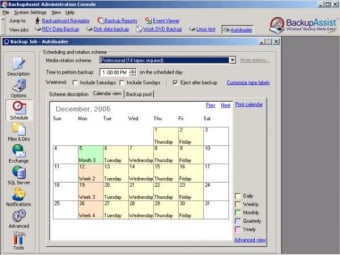
BackupAssist performs automatic, scheduled backups of Windows servers to a variety of backup devices, such as tape, hard drive, REV drive, CD/DVD, and NAS. In the event of a server crash or other disaster, files and system state can be restored from the backup media. With thousands of sales in 61 countries, BackupAssist is fast becoming a major backup software package of choice for businesses, schools and charities.
Specifically tailored to meet the needs of small and medium organizations, BackupAssist is simple to use and affordable. It's a lightweight, uncomplicated solution that allows non-technical users to easily schedule, manage and monitor backups.

Maximum security for your important data

Softaken Yahoo Backup Overview
Backup your documents securely and quickly
Trial version
3.5.0
Windows
Windows NT
English
704
10.20 MB
View an ad to download for free
Have you tried BackupAssist? Be the first to leave your opinion!
Add reviewFree
Handy application to view any USB-related information

Free
Bootable OS image drive creation utility

Free
: Reliable cloud sync for active files

Free
Create exact images of your hard drive and server and clone them

Free
Generous and secure cloud storage service
Maximum security for your important data
Softaken Yahoo Backup Overview
Backup your documents securely and quickly

Robust Data Replication Software for Enterprise-Level Organizations

Cigati Thunderbird Backup Tool Overview
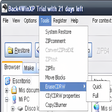
Make ZIP backups of your folders
Protect your data by backing it up remotely
A trial version Security program for Windows
A trial version Security program for Windows

Share backup copies online with your friends
Quickly transfer your music to your hard disk for safe keeping

Efficient Google Workspace Backup Software
A trial version Security program for Windows
A free Security program for Windows

Efficient Data Recovery Tool for Windows

Efficient SQL Password Recovery Tool

Efficient IMAP Mail Backup Solution for Windows